


Firefox Fast & Private Browser
4.6245.85K Reviews
App Specs
- Version
- 153.0
- Updated On
- License
- Free
- Downloads
- 100,000,000+
- Developer
- Mozilla
- Categories
- Communication
- Platform
- Android, iOS
Screenshots


 Analysis by AppCompare
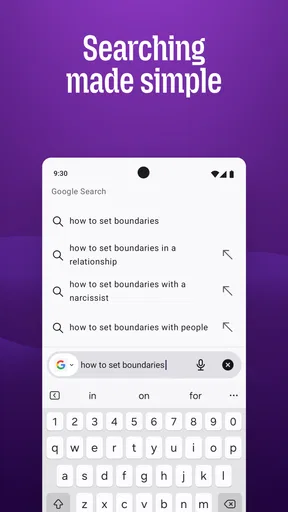
I choose a phone browser by asking a practical question: does it make everyday browsing feel easier without making privacy or device switching harder? Firefox Fast & Private Browser is worth considering if you want more control over how you browse, rather than simply accepting the defaults of the browser already on your phone. It is Mozilla’s free communication app, and its long history and broad adoption make it a familiar option for people who want a browser they can use across ordinary searches, reading, shopping, and personal tasks.
Decide what you need from a phone browser
My first test is not a speed contest; it is whether a browser fits the way I actually use my phone. I want to open a search result, keep a few useful pages available, and return later without losing track of what I was doing. I also want settings that let me shape the experience without turning setup into a project. Firefox is strongest for someone who values that combination: straightforward daily browsing with meaningful privacy and customization options.
It is less compelling if your only goal is to use the browser that came preinstalled and never change a setting. Staying with a familiar default can be sensible when it already fits your habits, especially if your bookmarks and browsing routine are tied closely to it. I would make the switch because I want Firefox’s particular balance of control and convenience, not because every phone needs a different browser.
A useful fit for privacy-conscious everyday browsing
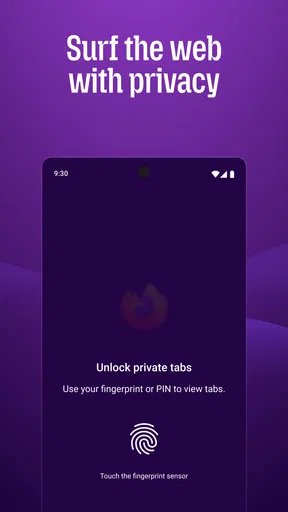
In practice, privacy features matter most when they reduce background tracking without asking me to make a decision on every page. Firefox’s Enhanced Tracking Protection is designed to block a range of trackers, which makes it a relevant choice for regular browsing rather than a tool I would open only for sensitive tasks. Private browsing has a different role: I use it when I do not want a session’s history, cookies, or site data kept in the usual way on the device.
Those modes are not interchangeable. Private browsing is helpful for a one-off search or a temporary session, but it should not be treated as a cloak that makes someone anonymous to websites or internet providers. Likewise, a Do Not Track request communicates a preference; it is not a guarantee that every website will honor it. I find that distinction useful because it sets realistic expectations: the browser can offer practical privacy controls, but no single toggle removes every form of tracking.
A realistic example is looking up a gift on a shared family tablet, then returning to regular browsing without leaving that search in the normal history. Private browsing can help keep that session separate on the device. For a more routine habit, tracker protection works in the background as I read news or compare products. I would still avoid entering sensitive information on a site I do not trust; browser privacy features are not a substitute for good judgement.
Everyday strengths and the trade-offs to weigh
I look at browser strengths in terms of what they change during an ordinary day, not just how many options appear in a menu. Firefox is most useful when privacy controls, flexible setup, and a way to carry browsing between devices solve problems you actually have; those benefits are less compelling if they add steps to a routine that already works. The next section weighs those everyday gains against the trade-offs that can influence whether switching feels worthwhile.
Worth Reading Before You Choose

Baby Panda World Brings Quick Play to Modern Phones, but Its Game Library Feels Busy

ESPN’s Live Game View Makes Following Close Games Easier

QuizzLand Review: A Good Fit for Short Trivia Breaks, Not Every Player

Basketball Stars: Multiplayer Is Fast, but Can It Recover When Matches Go Wrong?

WEBTOON Turns Phone Updates Into a Better Reading Routine

Link to Windows Runs on Shared Habits, Not Social Feeds
Speed and Performance
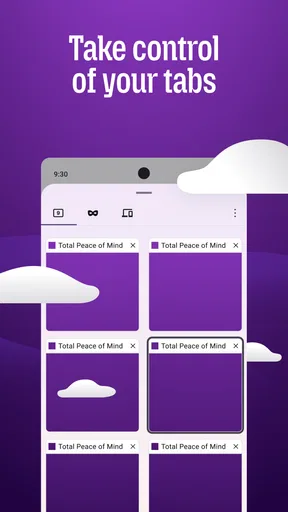
First things first, speed is crucial for any browser, and Firefox Fast & Private Browser doesn't disappoint. As soon as I launched the app, I noticed how quickly pages loaded. It's like the browser is on steroids, making even the most content-heavy sites appear in an instant. The smooth scrolling and quick tab switching make it a breeze to navigate through multiple pages.
What matters more than a dramatic first impression is whether common tasks stay comfortable: opening a link from a message, moving between a search and a store page, or coming back to an article after checking something else. The quick tab switching described above is especially useful when I am comparing information rather than reading one page at a time. I would not choose a browser on a promise that every site will load instantly, since page weight and connection conditions matter too, but a responsive feel makes those small errands less irritating.
Privacy at Its Core
In today’s digital age, privacy is everything. This browser has a strong focus on keeping your data safe. With Enhanced Tracking Protection, it automatically blocks a wide range of trackers, ensuring that you don’t leave a digital footprint. I appreciate how it keeps third-party cookies at bay, giving me peace of mind while surfing the web.
Another cool feature is the private browsing mode, which doesn’t save your history, cookies, or site data. It's perfect for those times when you need an extra layer of privacy. Plus, with the Do Not Track feature, you can send a request to websites not to track your online activities. It's like having a personal bodyguard for your data.
One practical tip is to treat private tabs as temporary workspaces, not as a replacement for ordinary tabs. If I am researching something I will need tomorrow, a normal tab or bookmark is more convenient; if I am checking a one-time detail, a private session keeps that activity from blending into my regular browsing history. That small distinction helps avoid the frustration of expecting a private session to remember useful pages later.
Customization and Features
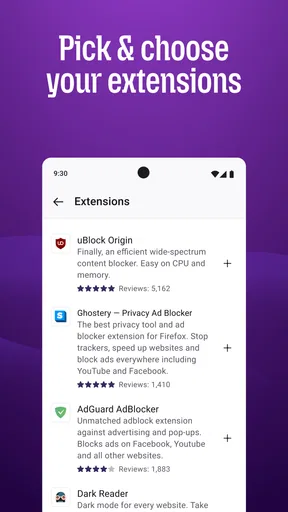
If you like making things your own, you'll love the customization options. You can tweak the homepage, choose from a variety of themes, and even add your favorite add-ons. Believe me, I spent way too much time playing around with different looks and extensions, but it was worth making the app feel truly mine.
Customization is most valuable when it solves a recurring annoyance. A homepage arranged around the pages I revisit can save a few steps each day, while an add-on can make sense if I already know what job I need it to do. I would add extensions selectively rather than installing several just because they are available: extra tools can make a browser feel more personal, but they also add choices to manage. Firefox suits people who enjoy tuning their setup; someone who wants a fixed, minimal interface may prefer to leave most options alone.
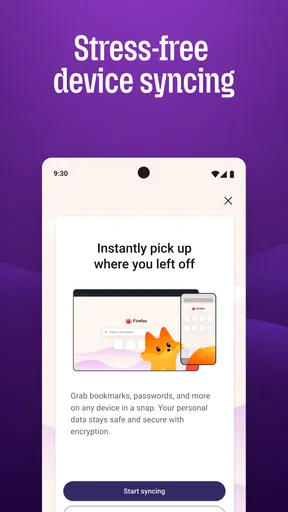
Also, the browser syncs across all your devices, so bookmarks, history, and open tabs are just a tap away, whether I'm on my phone or tablet. This feature is a game-changer for someone like me who switches devices all the time.
Sync is particularly handy for a common handoff: I find an article on my phone while travelling, then want to continue reading on a tablet at home. Before relying on it, I would sign in and check that the devices I actually use are connected; otherwise, the feature cannot help with that transition. It is also worth thinking about which browsing details I want shared between devices. People who prefer to keep work and personal browsing separate may want to use separate routines instead of assuming every device should show the same activity.
How it compares with familiar alternatives
The usual alternative is the browser already built into the phone. That option is often the easiest if you want to keep your existing setup and avoid moving bookmarks or changing habits. Firefox is a better fit when you want its particular mix of tracker protection, private browsing, add-ons, customization, and cross-device syncing. I would not claim that one browser is universally faster or safer than another; the useful comparison is whether its controls and workflow match what you care about.
Another choice is a browser whose main appeal is a stripped-down interface or a tightly integrated ecosystem. That may suit someone who values simplicity above customization, or who wants their browsing routine to stay within one familiar platform. Firefox’s appeal is different: it gives me more room to adjust the experience while still working as an everyday browser. If I rarely use add-ons, never switch devices, and am already happy with my current browser, the advantages may not justify changing.
What switching actually involves
The cost of trying Firefox is low because it is free, but the real cost is a little attention. I would set it as my preferred browser only after checking that the homepage, privacy choices, and bookmarks feel right. If I have years of saved pages in another browser, I would plan how to bring over the ones I genuinely use rather than expecting a new app to reproduce my old routine automatically. A short trial with a few everyday tasks is a better test than judging it from a single search.
Mozilla is the developer, and Firefox has been available since December 21, 2010. Its current version is 146.0.1, and it works on Android 8.0 or later. The app is free and rated for Everyone. Its 4.6 average comes from around 6.2 million ratings, alongside about 242,000 written reviews, and it has more than 100 million installs. Those figures show that it is widely used, though they do not tell me whether its workflow will suit a particular person.
User-Friendly Interface
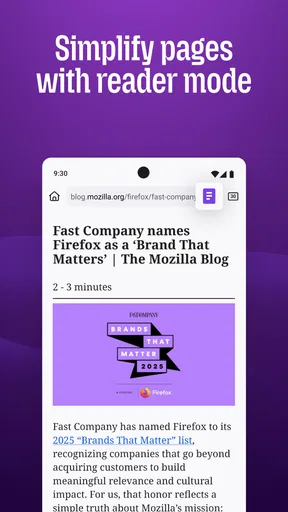
The interface is clean and intuitive, making it easy for even the least tech-savvy person to navigate. The menu is straightforward, and everything you need is just a couple of clicks away. I found the toolbar particularly helpful for accessing my most-used features quickly.
Night mode is another thoughtful touch, reducing eye strain during late-night browsing sessions. It's these little additions that show how much thought has gone into making this app user-friendly.
That simplicity helps balance the number of settings: I can use the browser normally without first learning every option. If I want more control, I can explore customization later rather than changing everything during setup. A small trade-off is that someone moving from a different browser may need time to learn where familiar actions are placed. I would give it a few ordinary browsing sessions before deciding whether the layout feels natural.
Who should choose it—and who should not
I would recommend Firefox to someone who reads and searches on a phone every day, wants practical privacy controls, or regularly moves between mobile devices. It also makes sense for a curious user who likes adjusting a homepage or adding tools to suit a specific workflow. The strongest case is not one spectacular feature; it is the way these options can work together in regular browsing.
I would tell a friend to skip it if their current browser already does everything they need and they have no interest in changing settings or moving bookmarks. It may also be the wrong choice for someone expecting private browsing to make them completely invisible online, or for someone who wants every device and browsing session kept entirely separate. In those cases, the important issue is not a flaw in the app but a mismatch between expectations and what a browser can reasonably do.
Wrapping It Up
Overall, the Firefox Fast & Private Browser stands out as a top contender in the browser world. With its focus on speed, privacy, and user customization, it ticks all the right boxes for me. Whether you're a casual surfer or someone who lives online, this app is worth a try. Download it, take it for a spin, and see if it becomes your go-to browser too.
My clearest recommendation is to try it as a real routine, not as a checklist of features. Use it for the searches, reading, and device handoffs you already do, then decide whether its privacy controls and customization make those tasks feel better. If you want a capable browser that gives you room to shape how you browse, Firefox is an easy one to test. If convenience means keeping the familiar default and changing nothing, staying put is just as reasonable.
Pros
- Fast browsing with minimal lag
- Enhanced privacy features
- Customizable interface
- Robust security measures
- Sync across multiple devices
Cons
- Limited extensions compared to desktop
- Occasional website compatibility issues
- Resource-heavy on older devices
- No built-in ad blocker
- Limited offline reading options
FAQs for Firefox Fast & Private Browser
What features make Firefox Fast & Private Browser stand out from other browsers?
Firefox Fast & Private Browser offers a unique combination of speed and privacy. It includes features like Enhanced Tracking Protection, which blocks unwanted ads and trackers, and a Private Browsing mode that deletes history and cookies upon exit. Additionally, it supports a wide range of extensions and customization options to enhance your browsing experience.
How does Firefox ensure user privacy and data protection?
Firefox prioritizes user privacy by implementing strong security measures. Enhanced Tracking Protection blocks third-party cookies and trackers. It also offers a built-in password manager and the option to use a secure, encrypted connection with HTTPS-Only Mode. Firefox is open-source, allowing transparency and community oversight in its development.
Is Firefox Fast & Private Browser compatible with all websites and online services?
While Firefox is designed to be compatible with most websites, there may be occasional issues with sites optimized only for other browsers. Firefox continually updates its compatibility features, but users can report any issues they encounter. Additionally, many extensions are available to enhance functionality and compatibility.
Can I sync my browsing data across devices using Firefox?
Yes, Firefox provides a sync feature that allows you to access your bookmarks, history, open tabs, and passwords across multiple devices. By creating a free Firefox account, you can ensure that your browsing data is available whether you're on your phone, tablet, or computer.
Does using Firefox Fast & Private Browser affect my device's performance?
Firefox is optimized for performance and often runs efficiently on most devices. However, like any app, it may consume more resources if multiple tabs or extensions are open. Users can manage these to optimize performance. Regular updates help improve speed and efficiency over time.


